

Organization Setup
Set up your organization in Nemo Router
Last updated
Your Nemo Router organization is the top-level entity that owns all resources: teams, API keys, credits, guardrails, budgets, and analytics. This guide covers how organizations work and how to configure yours.
![Org-scoped dashboard at /[organization] — sidebar, top metrics, and the org name shown in the header](/_next/image?url=%2F_next%2Fstatic%2Fmedia%2Fdashboard-org-home.977bb87e.jpg&w=3840&q=75)
Organization Creation
An organization is automatically created when you sign up for Nemo Router. During the onboarding flow, you'll:
- Create your account — Sign up with email or OAuth
- Choose a plan — Select your tier (Pay As You Go, Tier 2, or Tier 3)
- Create your API key — Get your first
sk-nemo-key - Invite your team (optional) — Add team members right away
Your organization is assigned a unique UUID that is used consistently across all Nemo Router systems. This same UUID identifies your organization in API responses, billing, analytics, and logs.
Your Organization
An organization is the single top-level tenant created for you at signup. It owns everything — teams, API keys, credits, guardrails, budgets, and analytics — and works the same whether you're a solo developer or a multi-member company. Start solo and invite team members whenever you're ready; there's no separate account "type" to switch between.
Organization Settings
![Settings · General tab — org name, slug, logo upload, and timezone at /[organization]/settings](/_next/image?url=%2F_next%2Fstatic%2Fmedia%2Fdashboard-settings-general.9f56111f.jpg&w=3840&q=75)
Access your organization settings from Settings in the dashboard sidebar.
General Information
| Setting | Description |
|---|---|
| Organization Name | Display name shown in the dashboard and team invitations |
| Organization Slug | URL-friendly identifier used in dashboard URLs |
| Organization Logo | Brand logo displayed in the dashboard header |
Data Policies
Configure how Nemo Router handles your data:
| Policy | Description |
|---|---|
| Data Retention | How long request logs and analytics data are stored |
| Data Processing | Whether Nemo Router can use your data for service improvement |
| Region | Preferred data processing region |
These policies apply to all requests made through your organization's API keys.
Branding
Customize the dashboard appearance for your organization:
- Logo — Upload your organization logo (displayed in the dashboard header)
- Organization name — Shown in the dashboard and in team member invitations
Organization Structure
Here's how resources are organized within your Nemo Router organization:
Organization
  ├── Members (Owner, Admin, Member, Viewer)
  ├── Teams
  │     ├── Team Members
  │     └── Team API Keys
  ├── API Keys (org-level or team-scoped)
  ├── Credit Balance
  ├── Budgets
  ├── Guardrails
  ├── Prompt Templates
  ├── A/B Tests
  └── Analytics & Logs
Resource Ownership
- Credits belong to the organization and are shared across all keys
- API keys can be org-level or scoped to a specific team
- Budgets can be set at the org, team, or key level
- Guardrails are configured at the org level and auto-apply to all requests
- Members are invited to the organization and optionally assigned to teams
Managing Your Organization
Viewing Organization Details
Your organization ID and current plan are visible in the Settings page. The organization ID is the same UUID used in API response headers (x-nemo-org-id).
Updating Settings
- Navigate to Settings in the sidebar
- Update the desired fields (name, slug, logo, data policies)
- Save your changes
One Organization Per Account
Each account belongs to exactly one organization, shown statically in the dashboard header — there is no org switcher and no switch-org flow. If you need to work in a different organization, create or join it under a separate account.
Plan and Billing
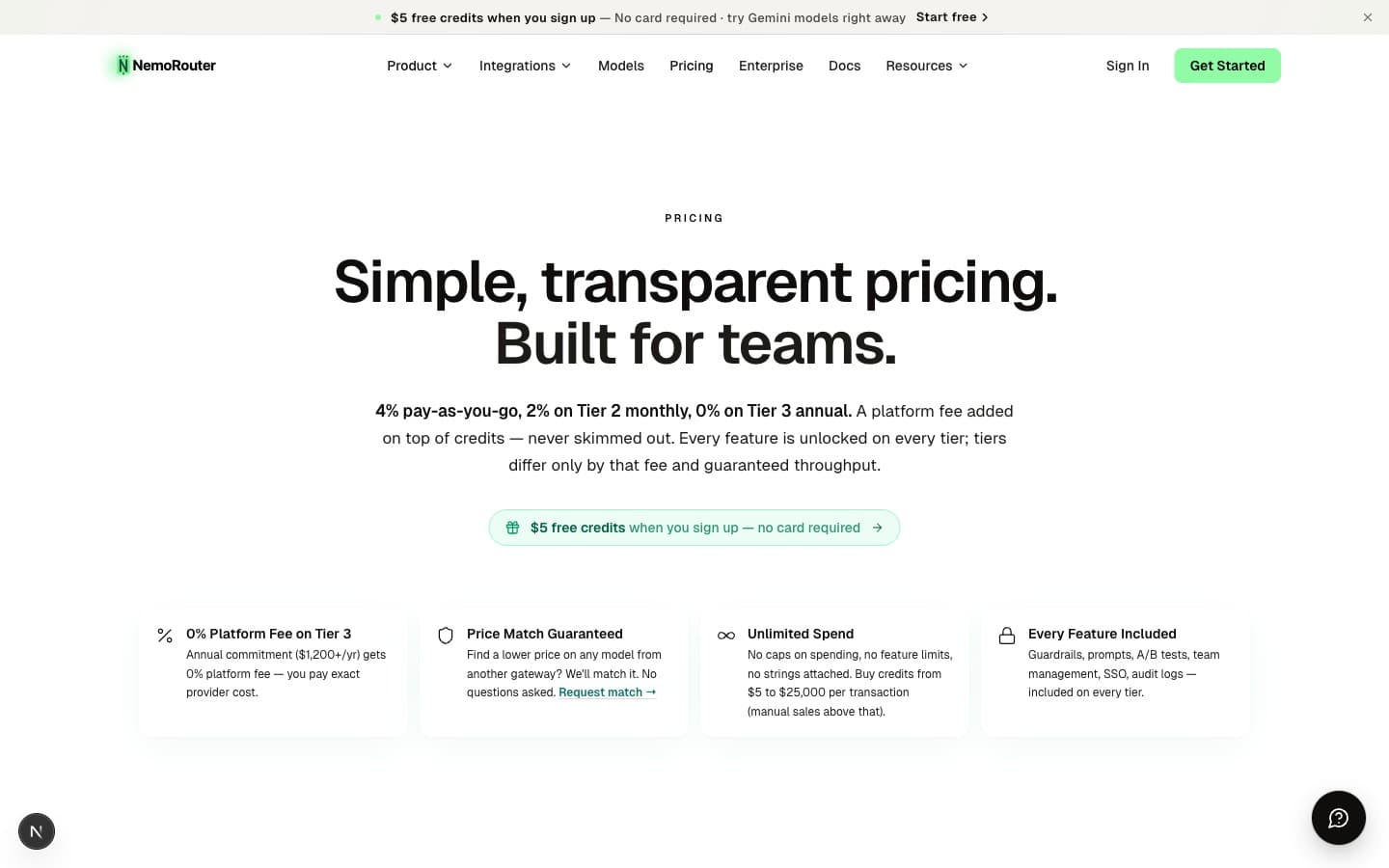
Your organization's plan determines the platform fee charged on credit purchases:
| Tier | Monthly Minimum | Platform Fee | RPM/TPM |
|---|---|---|---|
| Pay As You Go | $0 | +4% on credit purchases | Standard |
| Tier 2 | $100/mo | +2% on credit purchases | Enhanced |
| Tier 3 | $1,200/yr | +0% on credit purchases | Premium |
| Enterprise | Contact sales | Custom | Custom SLAs |
All features are available on every tier. The platform fee is charged on top of your credit purchase amount — you always receive 100% of the credits you buy.
Manage your plan and billing from the Billing page in the dashboard.
Danger Zone
The organization settings page includes a danger zone for destructive actions:
- Delete Organization — Permanently deletes the organization and all associated data (keys, teams, credits, logs). This action is irreversible and requires confirmation.
Only organization owners can access the danger zone.
Next Steps
- Team Management — Add members and configure roles
- Budget Controls — Set spending limits
- Authentication — Create and manage API keys
- Quick Start — Make your first API call