Playground
Test any Nemo Router model interactively from your browser
Last updated
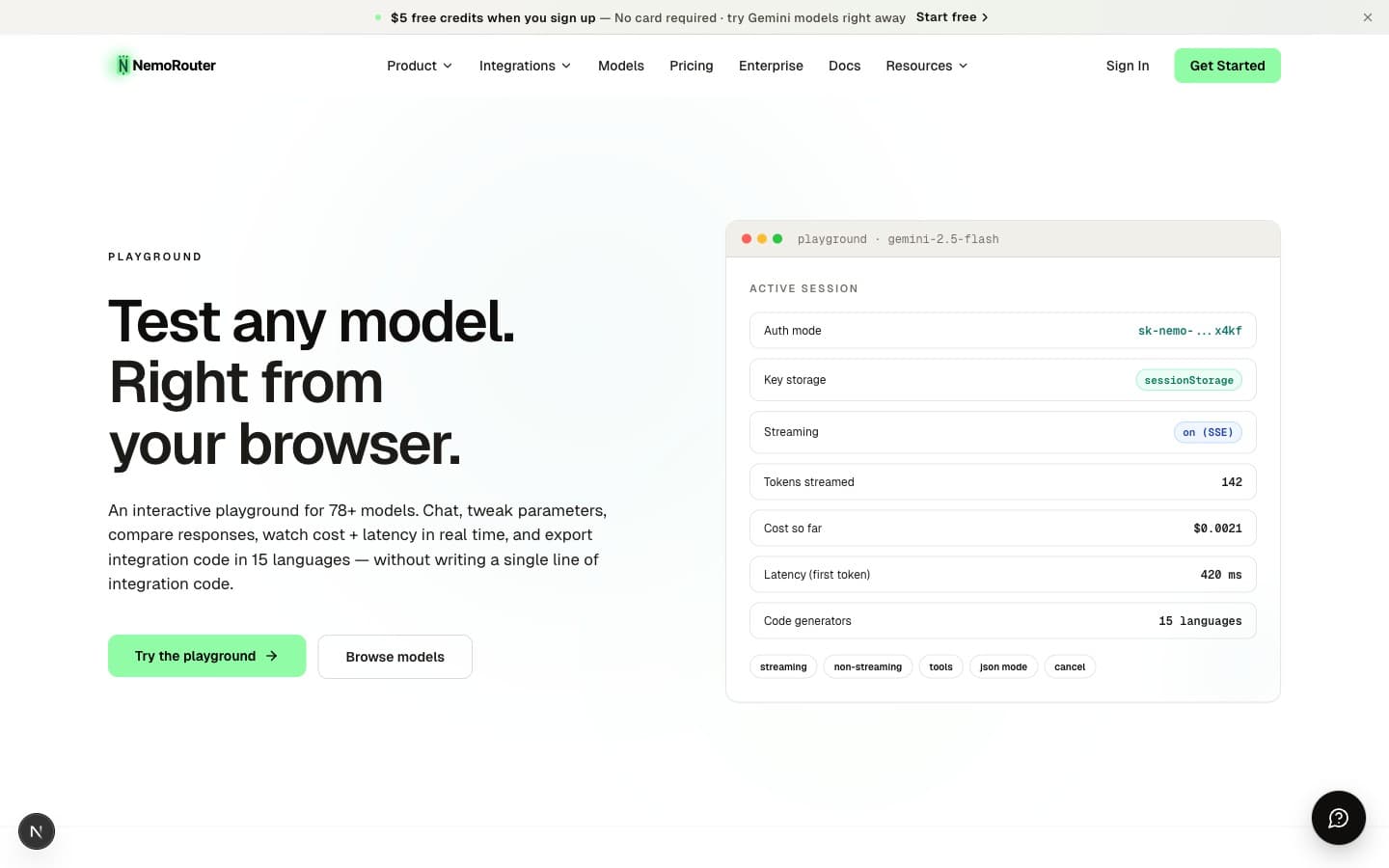
The Playground is the fastest way to evaluate Nemo Router without writing code. Paste your virtual API key, pick a model, and start chatting — every request runs through the same gateway your production code will use, so you see real latency, real cost headers, and real guardrail behavior.
What it does
The Playground is a single-page chat UI that calls https://api.nemorouter.ai/v1/chat/completions directly from your browser. It's the same endpoint and the same auth model your SDK code uses — there is no separate "test environment". This means:
- Your virtual key's rate limits, budgets, and guardrails apply exactly as they would in production
- Every request shows up in your observability logs with the playground key alias
- Cost headers (
x-nemo-request-cost) settle against the same credit balance
Setup
The Playground requires you to paste your virtual API key (sk-nemo-...). The key is stored in your browser's sessionStorage only — it's cleared the moment you close the tab. Nemo Router's servers never see or store playground-pasted keys.
Why paste a key instead of using your login session?
It's a deliberate security decision. As described in Authentication, all LLM inference requests must authenticate with a virtual key — never a master key. Even though you're logged into the dashboard, the dashboard's session token can't make LLM calls. You paste a virtual key so the request is properly attributed, rate-limited, and budget-enforced like any other production call.
![Playground at /[organization]/playground — model picker, message thread, parameter sliders, and the API-key paste field](/_next/image?url=%2F_next%2Fstatic%2Fmedia%2Fdashboard-playground.1d9a1a24.jpg&w=3840&q=75)
Picking a model
The model dropdown lists every model your organization can call right now. Each entry shows the provider, the routing alias (the value you'd pass as model in the API), and a one-line capability summary.

Switching models is instant — the next message you send goes to the new model. There is no provider configuration, no SDK swap, no key rotation.
Parameters
The sidebar lets you tune:
| Parameter | Range | Effect |
|---|---|---|
temperature | 0.0 – 2.0 | Sampling randomness. 0 is deterministic, 1 is balanced, 2 is wild. |
max_tokens | 1 – model max | Hard cap on response length |
top_p | 0.0 – 1.0 | Nucleus sampling — alternative to temperature |
system prompt | free text | Sets the assistant's persona / task framing |
These are passed straight through to the chat-completions endpoint. They behave exactly like they do in your SDK code.
Code generation
Every conversation has a View Code button. It generates the exact SDK code that would reproduce the current message thread — in cURL, Python, Node.js, or any of 15 supported languages. This is the canonical bridge between exploration and integration: prototype in the playground, copy the code, paste into your codebase.
The generated code reads from 04-nemoroutersdk/examples/ (the SDK examples skill source of truth), so what you see in the playground is what runs in your production app.
Observability
Every playground request is logged just like a production request. After sending a message:
- Open
/[organization]/logsin another tab - Filter by your playground key alias
- Click into the most recent log row to see the full request/response, token counts, latency breakdown, and cost
This is the fastest way to confirm guardrails fired, that a prompt template was applied, or that an A/B test routed traffic correctly.
![Observability log at /[organization]/logs — request status, model, latency, token counts, and cost per call](/_next/image?url=%2F_next%2Fstatic%2Fmedia%2Fdashboard-observability-row.2606a1b4.jpg&w=3840&q=75)
When to use the Playground vs. the public playground
| Surface | URL | Auth | Best for |
|---|---|---|---|
| Dashboard playground | /[organization]/playground | Logged in + virtual key | Real testing — your guardrails, your budgets, your logs |
| Public playground | /product/playground | Anonymous + virtual key | Quick demos, sharing a model evaluation with a teammate |
Both call the same API. The dashboard version inherits your org's configuration; the public version is org-agnostic until you paste a key.
Errors you'll see
| Status | Meaning | Fix |
|---|---|---|
401 | Invalid key | Paste a valid sk-nemo-... key |
402 | Out of credits | Top up from /[organization]/billing |
429 | Rate limit exceeded | Wait and retry, or raise the key's RPM/TPM |
400 (with guardrail_triggered) | Content blocked by a guardrail | Adjust the prompt or guardrail scope |
Next Steps
- Quick Start — Make the same call from your code
- Authentication — How virtual keys work
- Chat Completions — Full API reference for the endpoint the Playground calls
- Budget Controls — Cap playground spend with a per-key budget