You already have an observability stack. The last thing you want is a separate, siloed place to look at AI traffic that nobody checks until something breaks. Logging callbacks solve this: the gateway forwards each request's telemetry to the destinations you already run, so LLM spend and latency show up next to the rest of your system — not in a tab you forget exists.
What is a logging callback?
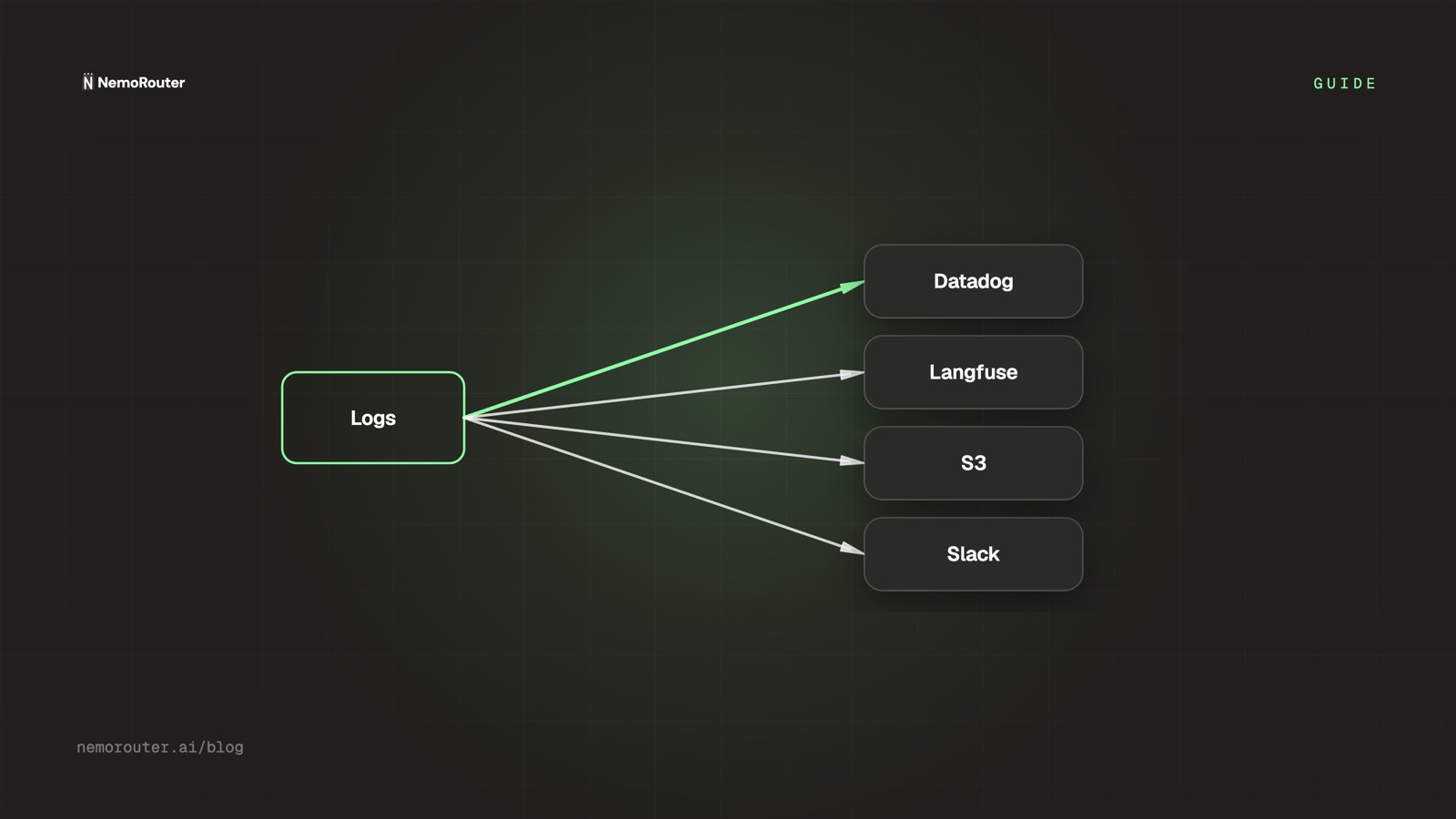
A logging callback is a destination the gateway pushes telemetry to after each request. You configure it once at the org level; from then on every call's metadata (model, tokens, cost, latency, status, tags) is dispatched there. Your application code is untouched — it keeps calling one endpoint, and the fan-out happens at the gateway.
| Destination | Good for |
|---|---|
| Datadog | Unified dashboards + alerting next to your infra metrics |
| Langfuse | LLM-native traces, prompt/run analytics, evals |
| S3 | Cheap durable archive for compliance / later analysis |
| Slack | Human-in-the-loop pings on notable events |
You can run several at once — Datadog for ops, Langfuse for prompt analytics, S3 for the archive — from the same single configuration.
Why fan-out at the gateway, not the app?
Because instrumenting every call site is exactly the toil a gateway exists to remove. If you wire Datadog into your app, you do it in every service that calls an LLM, you maintain it through every refactor, and you still miss the calls made from a notebook or a cron job. At the gateway, every request is covered by definition, and adding a destination is a config change, not a deploy.
your app ──► gateway ──► provider
                │
                ├──► Datadog   (ops)
                ├──► Langfuse  (prompt analytics)
                └──► S3        (archive)
One integration point, many destinations, zero per-service wiring.
Forwarded telemetry inherits your data policy
A callback can forward content, not just metadata — which means it can carry the same PII your logging policy is trying to protect. Forward metadata-only where you can, and remember that a third-party destination is now another place that data lives. Redaction should apply before the fan-out, not after.
Keep it off the hot path
A logging destination being slow or down must never slow down or fail a customer's LLM call. The dispatch is fire-and-forget: the request returns to the user on the provider's timing, and telemetry is forwarded out-of-band. A Datadog blip degrades your observability, not your availability. This is the same discipline as the rest of the gateway — the request path stays lean, and the cross-cutting work happens beside it. (Cost tracking itself follows the same rule: rendering and forwarding never block on it.)
A practical setup
A sensible starting configuration for a production team:
- Datadog — model, cost, latency, status as metrics; alert on error-rate and p95 latency (see latency percentiles).
- Langfuse — traces with your attribution tags so prompt analytics line up with cost analytics.
- S3 — metadata archive for compliance, with content excluded or redacted.
- Slack — only for events a human should see immediately (a budget cap crossed, an alert), not every request.
The takeaway
Your AI traffic belongs in the stack you already watch. Logging callbacks fan-out gateway telemetry to Datadog, Langfuse, S3, and Slack from one config, cover every request without per-service instrumentation, and stay off the hot path so a slow destination never costs you availability. Wire the destinations once in Callbacks, keep redaction ahead of the fan-out, and let AI spend show up where the rest of your system already does.